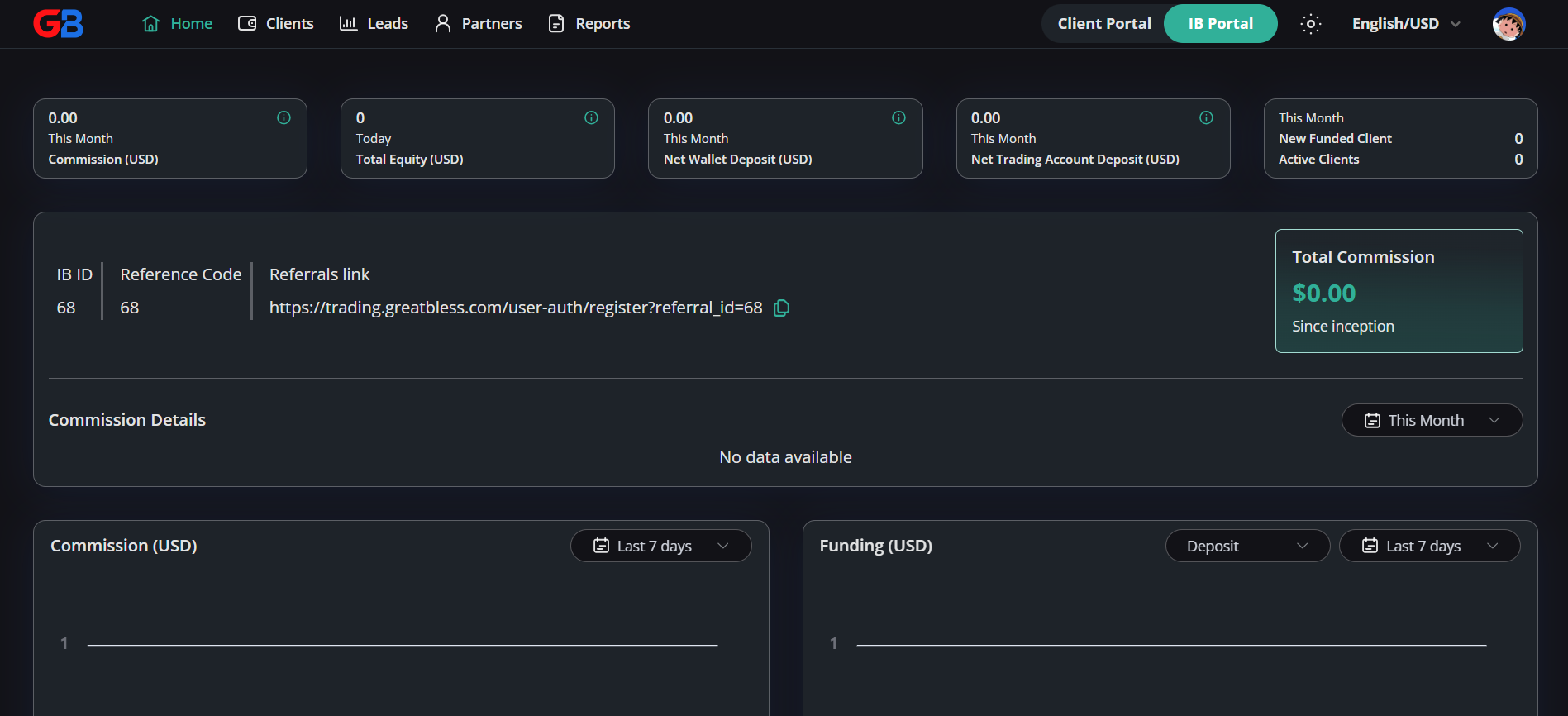
An Introducing Broker, or IB, is a partner who introduces prospective clients to a broker. An IB does not make trading decisions for clients or manage their accounts. The role is to share the platform through approved channels and help prospective clients find the information they need to decide whether the service is suitable for them.
How to get started as an IB
- Create or sign in to your GreatBless account. Use the GreatBless Client Portal.
- Request or activate IB access. Apply from the Partnership section of the Client Portal. Eligibility and approval requirements can vary, so review the applicable partner terms or contact support if IB Portal access is not available.
- Open the IB Portal. The IB Portal is the Partnership section of the Client Portal. Once IB access is active, it shows your IB ID, reference code, referral link, client activity, and commission information.
- Use your referral link responsibly. Share the assigned link only in ways that follow the applicable marketing rules, partner terms, and local requirements.
What the referral link does
Your referral link contains your unique reference information. When a prospective client uses that link to begin registration, the platform can associate the registration with your referral, subject to the applicable attribution rules. The link is for introducing clients to the platform; it does not replace the client’s own account registration, verification, or suitability steps.
Where commission comes from
IB commission is connected to qualifying trading activity from clients attributed to the IB, according to the commission plan and partner agreement that apply to that IB relationship. It is not created simply by generating a referral link, and a deposit by itself is not necessarily a commission event. The relevant plan determines which activity qualifies, how the amount is calculated, when it is recorded, and any conditions for payment.
What you can monitor in the IB Portal
- Referral details: Your IB ID, reference code, and referral link.
- Client activity: High-level counts such as new, funded, or active clients where those views are available.
- Commission information: Commission totals and period-based detail views, subject to the data available for your account.
- Reports: A clearer view of activity and commission records for review.
A responsible way to share the program
Be clear that trading involves risk and that any client must make their own informed decisions. Do not promise profits, represent yourself as providing personal investment advice, or suggest that commission is guaranteed. Use current approved materials, explain the referral relationship transparently where required, and direct questions about account eligibility, trading conditions, or payments to the appropriate GreatBless team.
The IB Portal is designed to make referral and commission information easier to review, not to guarantee income. Before participating, read the applicable partner terms and confirm the arrangement available to your account.